

Documentation Index
Fetch the complete documentation index at: https://docs.adaptive-ml.com/llms.txt
Use this file to discover all available pages before exploring further.
Metrics unify three categories of measurement into a single system:
- System metrics — auto-computed per completion (TTFT, latency, token counts). No setup required.
- Grader metrics — produced by Graders (AI judges, pre-built, custom, external). Scores are written automatically when graders run.
- User metrics — custom ratings you define and log via SDK. Use these for human evaluation, application-specific scores, or any signal not covered by system or grader metrics.
This page covers inference-time metrics — measurements collected on completions returned by deployed models. For training-time signals (loss curves, reward, gradient norms, validation metrics emitted during a run), see Monitoring. The two systems are separate: training metrics live with the run record, inference metrics live with the completion record.
Register a user metric
Before logging values, register a metric key:adaptive.feedback.register_key(
project="my-project",
key="quality",
kind="scalar", # or "bool"
scoring_type="higher_is_better",
)
| Parameter | Type | Required | Description |
|---|
project | str | Yes | Project to register the metric in |
key | str | Yes | Unique identifier |
kind | str | No | "scalar" (default) or "bool" |
scoring_type | str | No | "higher_is_better" (default) or "lower_is_better" |
The SDK resource is adaptive.feedback — the entity is called “metrics” in the UI but the SDK interface retains the feedback name.
Log metric feedback
Log a rating for a completion using its completion_id from the inference response:response = adaptive.chat.create(
messages=[{"role": "user", "content": "Hello"}]
)
completion_id = response.choices[0].completion_id
adaptive.feedback.log_metric(
value=5,
completion_id=completion_id,
feedback_key="quality",
)
Feedback is associated with the completion’s Interaction record.Log preference feedback
Log a pairwise comparison between two completions:adaptive.feedback.log_preference(
feedback_key="quality",
preferred_completion=completion_id_a,
other_completion=completion_id_b,
)
Use preferences for RLHF/DPO training when you can judge which completion is better but can’t assign absolute scores.List and get metrics
keys = adaptive.feedback.list_keys(project="my-project")
key = adaptive.feedback.get_key(
project="my-project",
key="quality",
)
See SDK Reference for all feedback methods.View metrics
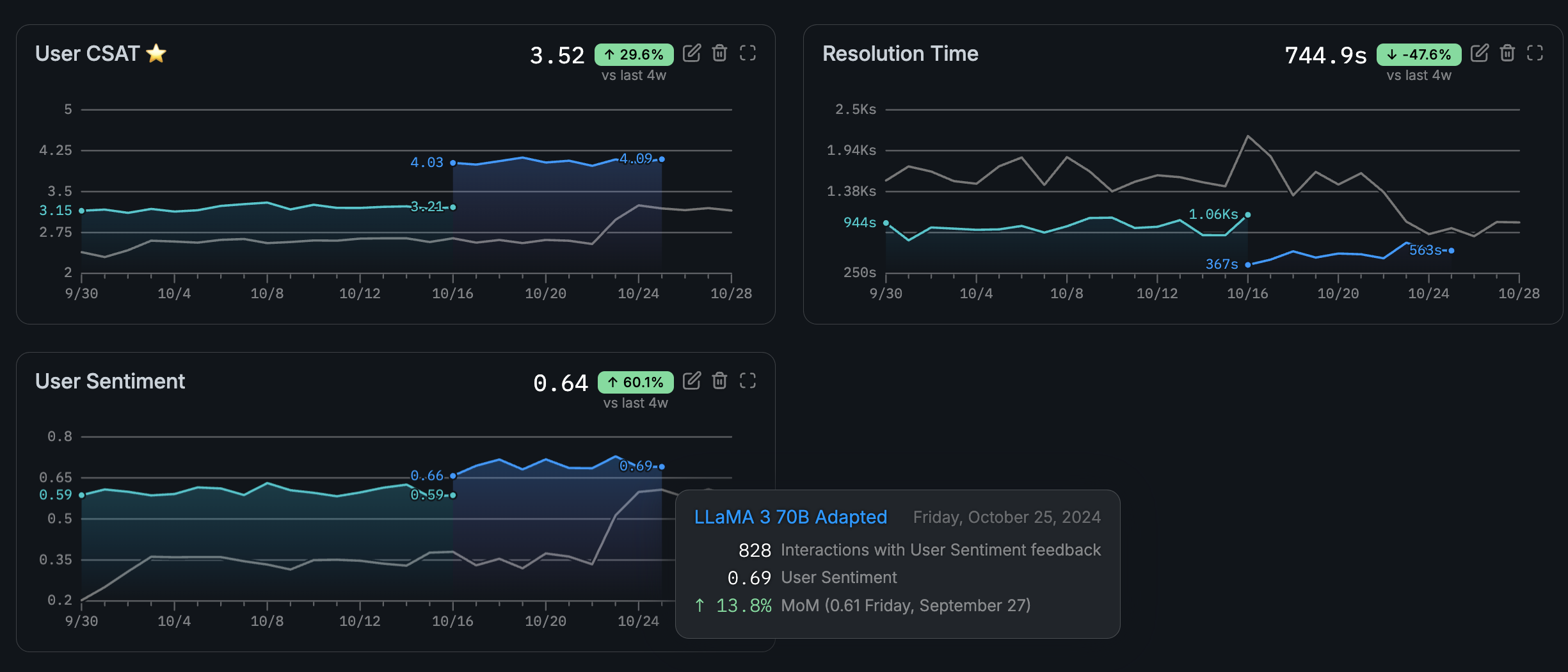
Navigate to your project and open the Metrics page to see all metrics and their values over time.Filter by category — System, Grader, or User — to narrow the view.Manage user metrics
Create, edit, and delete user metrics from the Metrics page. System and grader metrics are protected and cannot be modified.