New in v0.14: function graders are first-class objects. Define a Python
grade function, validate it in a sandbox, and reuse it across recipes — no need to edit recipe code to swap scoring rules.
- SDK
- UI
Create a function grader
Function graders run anasync def grade(thread: StringThread) -> float in a sandboxed Python environment, called on every completion during training or evaluation. Use them when correctness is structural or rule-based — string matching, regex, JSON shape — and an LLM judge would add noise at every step.grade’s source from the file or notebook cell where it’s defined, validates it in the sandbox, and stores it under the project. The function gets renamed to grade server-side, so the name in your code doesn’t matter.The grade function contract
The validator emits warnings (not errors) if the parameter isn’t annotated
StringThread or the return isn’t annotated float.Reading the thread
Insidegrade, the StringThread exposes the conversation and any per-sample metadata you attached to your dataset:thread.metadata is the per-sample metadata you set when building the dataset — put rubric fields, expected outputs, or labels there.Validation
graders.create.function(...) validates before it persists. If validation fails, the SDK raises ValueError with the failed check name and message — nothing is saved.Validation steps
Validation steps
The sandbox runs five checks in order and stops at the first failure:
- Syntax —
compile()succeeds. - Structure — a top-level
async def grade(...)exists. - Signature — exactly one parameter; warnings emitted for missing or unexpected annotations.
- Execution — the module body executes and
gradeis callable. - Test run —
gradeis invoked with a thread and must return a numeric value.
("user", "What is 2+2?") and ("assistant", "4"), with metadata = {}. The check confirms your function runs and returns a number — not that it produces a sensible score on real data. To test against real samples, use the test payload panel in the UI.Examples
Sandbox
The grade function runs in an isolated Python sandbox (nsjail). What’s available:- The Python standard library (
re,json,math,string, etc.) StringThread, importable fromadaptive_harmony
- Network calls (
requests,httpx,urllib.request) - Filesystem writes outside the sandbox
- Third-party packages (
numpy,pydantic, etc.)
Manage existing graders
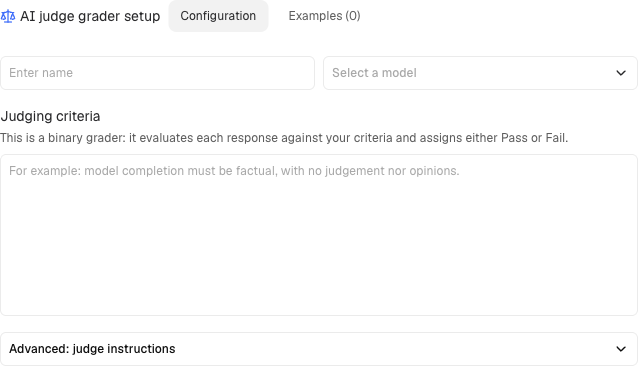
Create an AI judge
AI judges use an LLM to grade completions based on a criterion you define:The judge returns PASS/FAIL for each completion along with reasoning.
Prompt templates for AI judges
AI judges use Handlebars templates for their prompts. Template variables give you access to the conversation context, completion, and metadata.Basic syntax:All template variables
All template variables
Use triple braces (
{{{var}}}) for variables that may contain HTML entities or special characters.Pre-built graders
For RAG applications, use pre-built graders optimized by Adaptive:- Faithfulness: Does the completion adhere to provided context?
- Context Relevancy: Is the retrieved context relevant to the query?
- Answer Relevancy: Does the completion answer the question?
How pre-built graders work
How pre-built graders work
Faithfulness breaks the completion into atomic claims and checks each against the context:Pass context as Completion: “Tim Berners-Lee published the first website in August 1990.”Score: 0.5 (first claim supported, date claim unsupported)
Context Relevancy checks if retrieved chunks are relevant to the query:
Answer Relevancy checks if the completion addresses the question:Extra information not requested by the user lowers the score.
document turns in the input messages. Each retrieved chunk should be a separate turn.Sample:Context Relevancy checks if retrieved chunks are relevant to the query:
Answer Relevancy checks if the completion addresses the question: