

Documentation Index
Fetch the complete documentation index at: https://docs.adaptive-ml.com/llms.txt
Use this file to discover all available pages before exploring further.
Feedback lets you annotate completions with scalar values, boolean ratings, or pairwise preferences. Use feedback for monitoring, evaluation, and as training objectives.
Register a feedback key
Before logging feedback, register a key:adaptive.feedback.register_key(
key="quality",
kind="scalar", # or "bool"
scoring_type="higher_is_better",
)
| Parameter | Type | Required | Description |
|---|
key | str | Yes | Unique identifier |
kind | str | No | "scalar" (default) or "bool" |
scoring_type | str | No | "higher_is_better" (default) or "lower_is_better" |
Log metric feedback
Log a rating for a completion using its completion_id from the inference response:# Get completion_id from inference
response = adaptive.chat.create(
messages=[{"role": "user", "content": "Hello"}]
)
completion_id = response.choices[0].completion_id
# Log feedback
adaptive.feedback.log_metric(
value=5,
completion_id=completion_id,
feedback_key="quality",
)
Feedback is associated with the completion’s Interaction record.Log preference feedback
Log a pairwise comparison between two completions:adaptive.feedback.log_preference(
feedback_key="quality",
preferred_completion=completion_id_a,
other_completion=completion_id_b,
)
Use preferences for RLHF/DPO training when you can judge which completion is better but can’t assign absolute scores.See SDK Reference for all feedback methods.View feedback
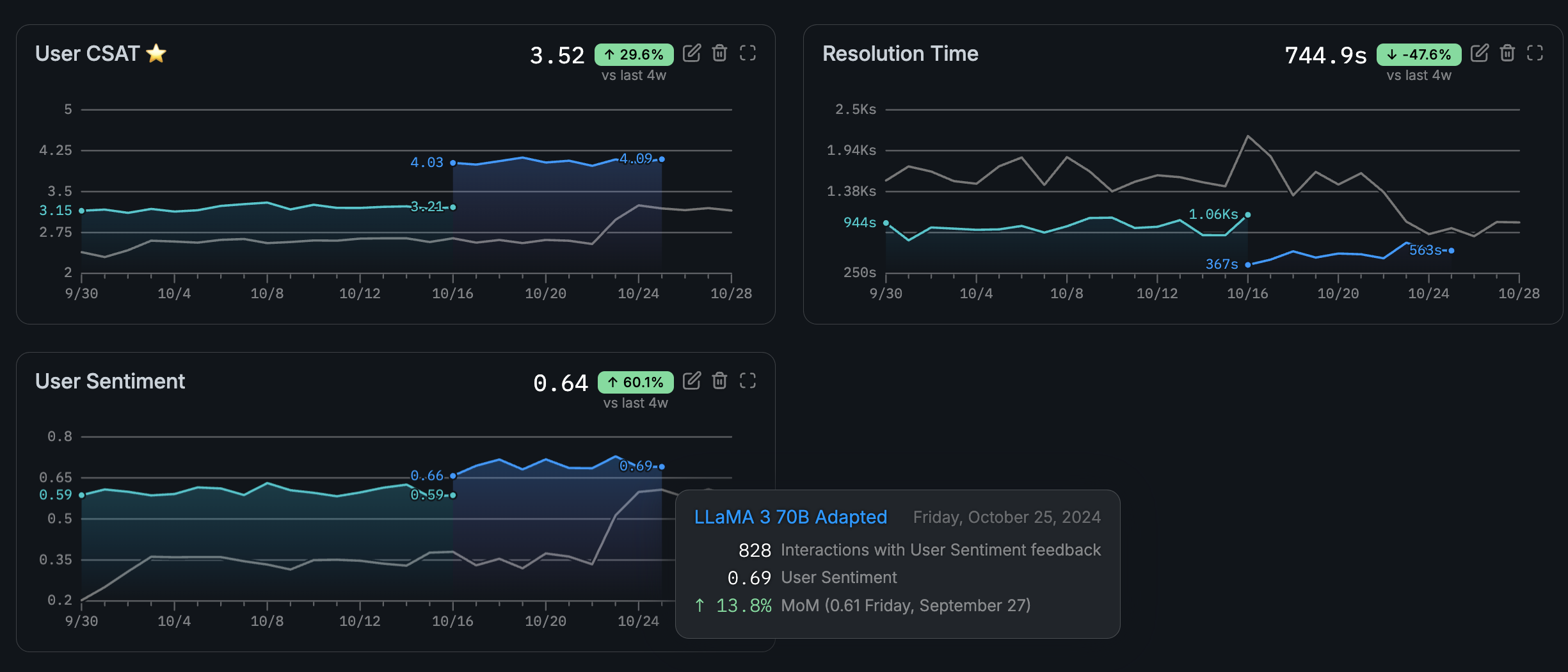
Navigate to your use case and open the Feedback tab to see linked metrics and their values over time.Link a metric
Link a feedback key to a use case to display its statistics in the UI. Go to Feedback → Link Metric and select the key.