

- Install the Adaptive Python SDK
- Create a new use case
- Deploy a model and make an inference request
- Log feedback on the model’s completion
- Creating a training dataset with the logged feedback
- Adapting a model using reinforcement learning on the logged feedback
Step-by-step walkthrough
1
Install the Adaptive Python SDK
First, you Instantiate the
pip install the Adaptive SDK.Adaptive client.Adaptive SDK
2
Create a new use case
An Adaptive Engine use case is a user-defined workspace where you group together resources such as models, interaction logs
and metrics for monitoring and evaluation.You first create a
Customer Support Assistant use case that to service your customer support operations.Adaptive SDK
3
Deploy a model and make an inference request
You deploy the Llama 3.1 70B instruction-tuned model and attach it to the use case, so your customer support agents can start using it.
This is a capable base model that can provide satisfactory performance initially.
Learn more about other supported models.You can now integrate the Adaptive SDK in your customer support application, and start making inference requests.
The Adaptive Chat API is also compatible with the OpenAI Python library, so there is no need to refactor
application code if you were previously using it.Output:Pairs of
Adaptive SDK
Adaptive SDK
messages, completion resulting from chat requests are automatically logged and saved on Adaptive.4
Log feedback on the model's completion
Your customer support agent who is using the model as an assistant finds the model’s completion appropriate, and accepts it to be sent to the customer.To log and aggregate this feedback, you register a new Learn more about feedback types in Adaptive.
Acceptance feedback key, link it to your use case, and log the agent’s feedback against the completion_id.Adaptive SDK
5
Create a training dataset from past interactions
Once you have a satisfying amount of interactions with feedback - typically in the magnitude of few thousands or more, you can export them as a training dataset
from the Interactions page: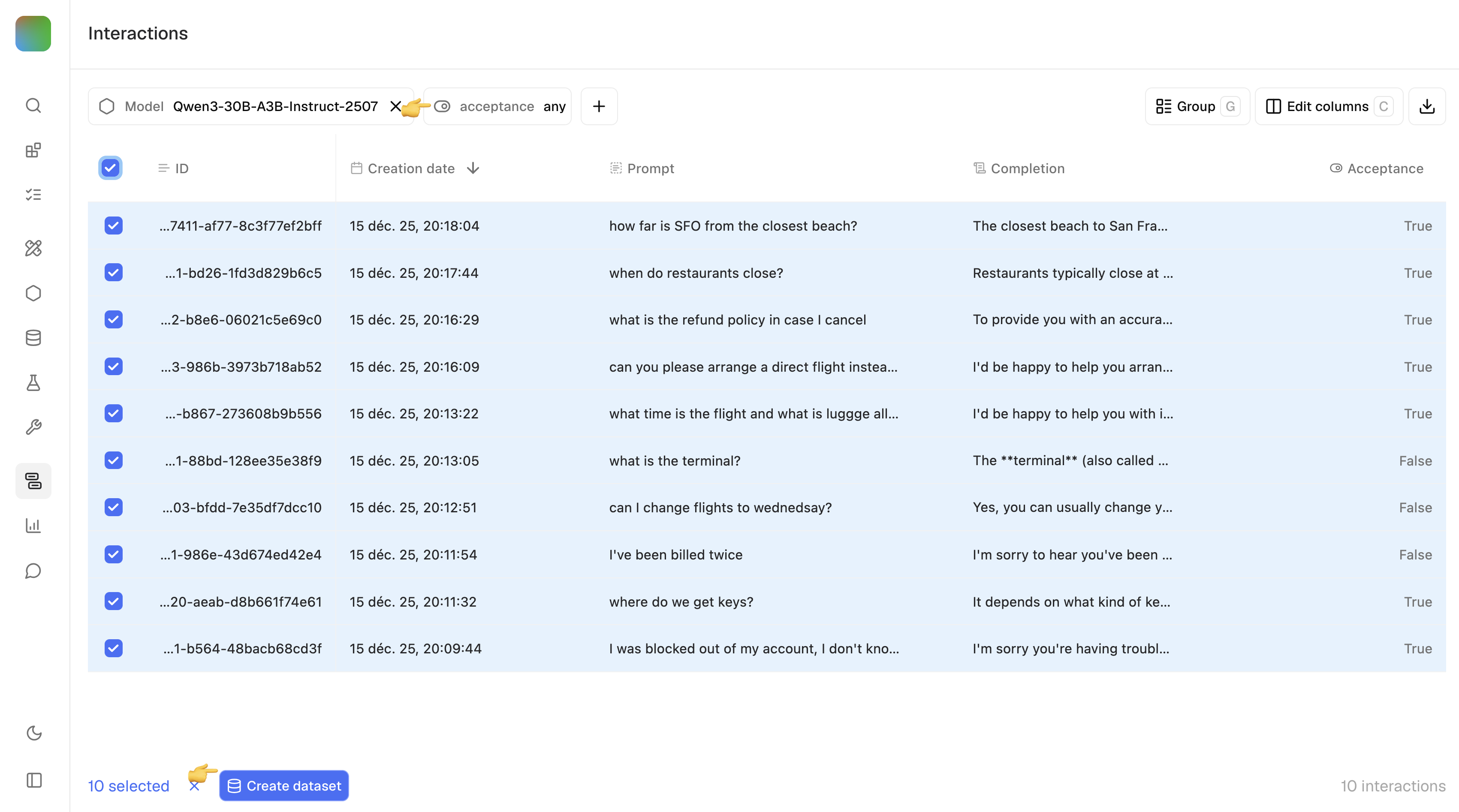
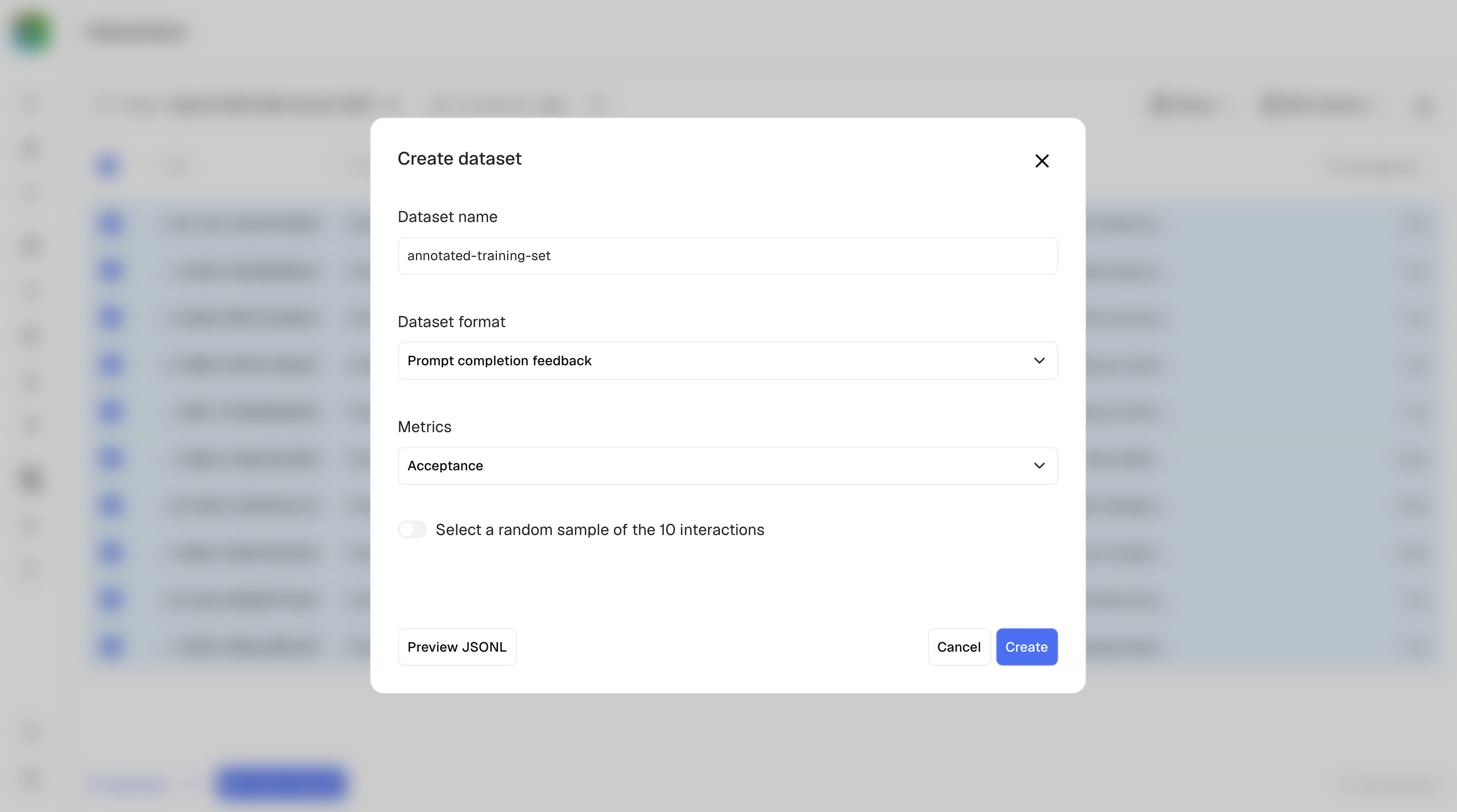
- Filter on Acceptance=any, so that both positive and negative feedback are collected.
- Add additional optional filters as needed, for example generating model, creation date, other metrics and labels.
- Use the checkbox to select records and create a dataset of type prompt, interaction, feedback.
6
Adapt a model on previous interaction feedback
After running your customer support operations with the help of Adaptive Engine, you have accumulated feedback from your human agents in production.
To align a model to the preferences of your human agents, you adapt a smaller 4B model on the feedback you logged.
This tunes the smaller model using reinforcement learning methods, learning from the successes and failures of the larger, more capable model.The job trains and saves a new, improved model that you can immediately deploy for better results!
Learn more in Adapt a model.
Adaptive SDK
Next steps
- Dive deeper into training with Adaptive Engine.