Launch an evaluation
Evaluation is done by launching a run of an evaluation recipe. An Evaluation recipe is a recipe that produces anEvaluationArtefact.
Adaptive provides a built-in recipe that supports most evaluation use-cases. For more tailored usage, for example to use custom graders,
you can create your own recipe with your own completion grading strategy by following our guides Custom Graders and Write an Evaluation Recipe
The SDK snippet below shows an evaluation run scoring 3 models with 2 graders.
Adaptive SDK
Visualize results
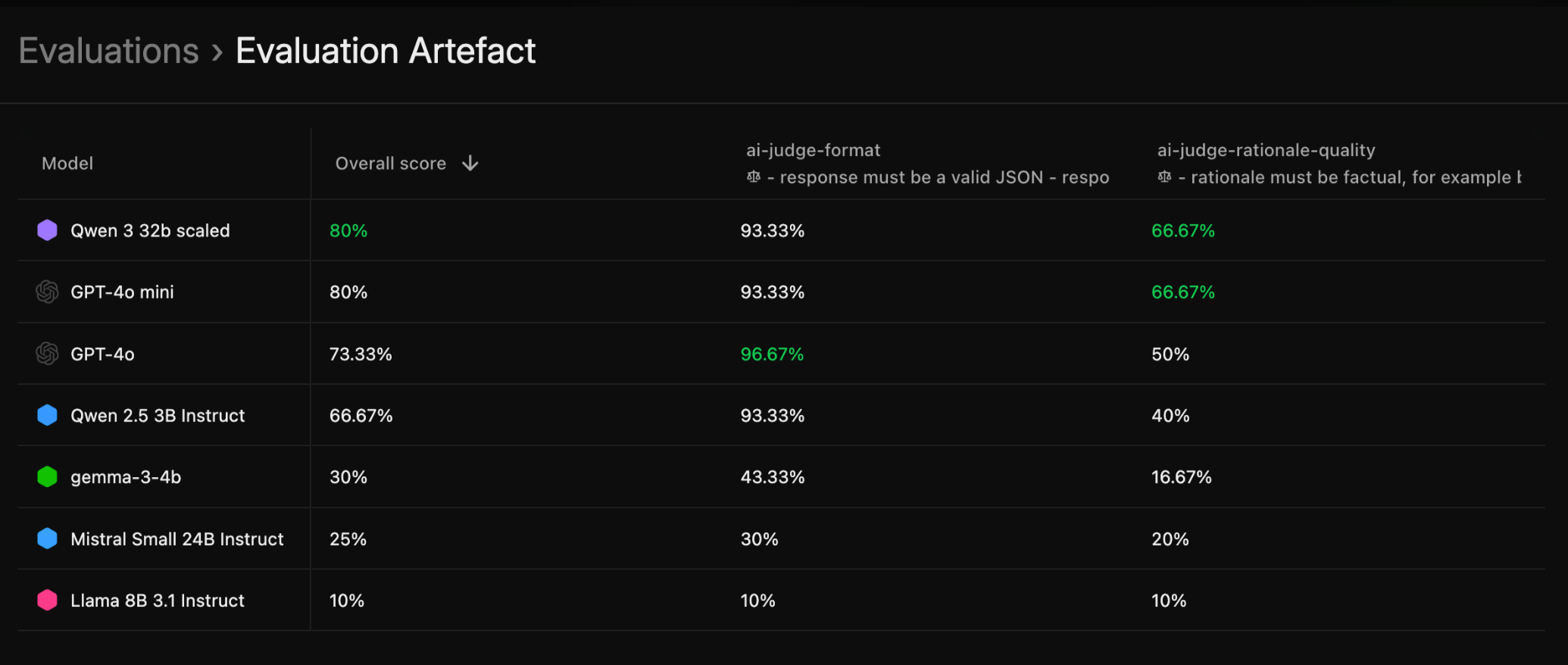
Once an evaluation run is finished, it will produce an evaluation artifact. This will contain:- An evaluation score table that summarises all model’s scores for the graders that were used during the eval
- A detailed list of interactions from all graded samples in the evaluated dataset.
Drilling down to individual interactions
Evaluation results can also be analyzed in the interaction store, by filtering by evaluation artifact ID. Interactions can be then analyzed in multiple ways described below.Grouping by model
This manipulation allows to stack-rank models by the aggregate metric of interest.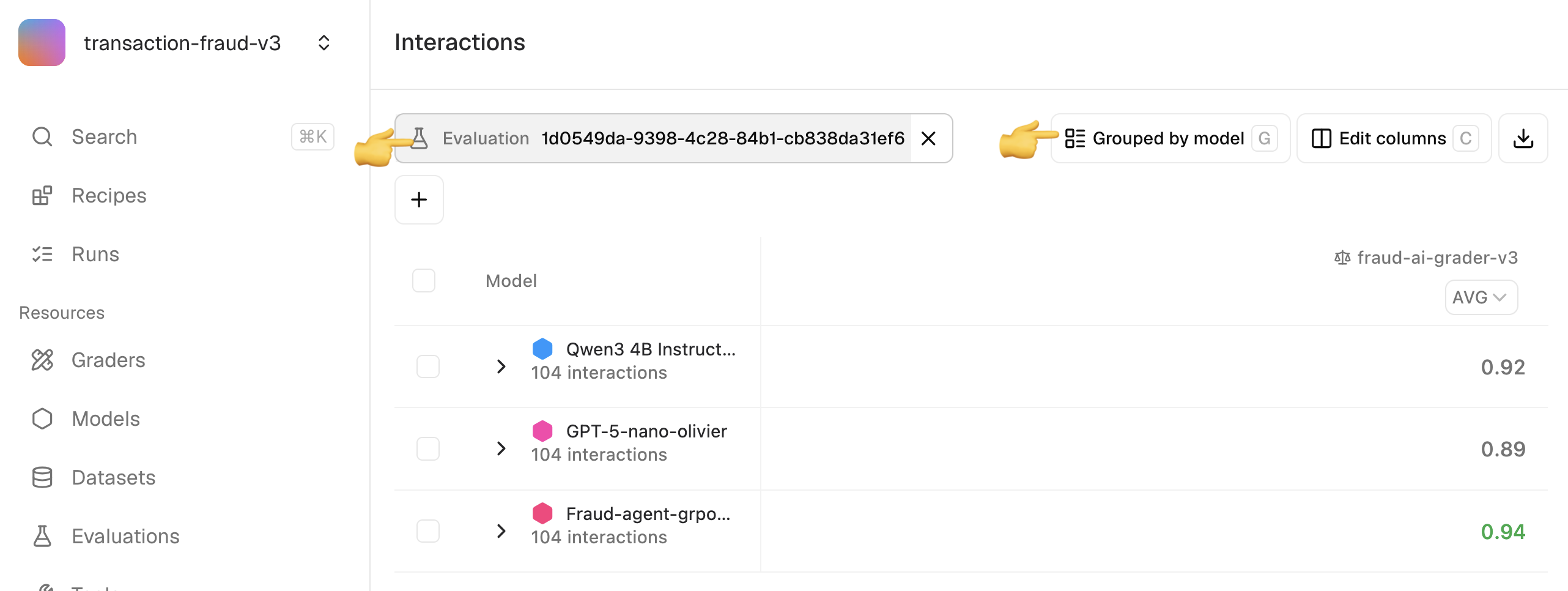
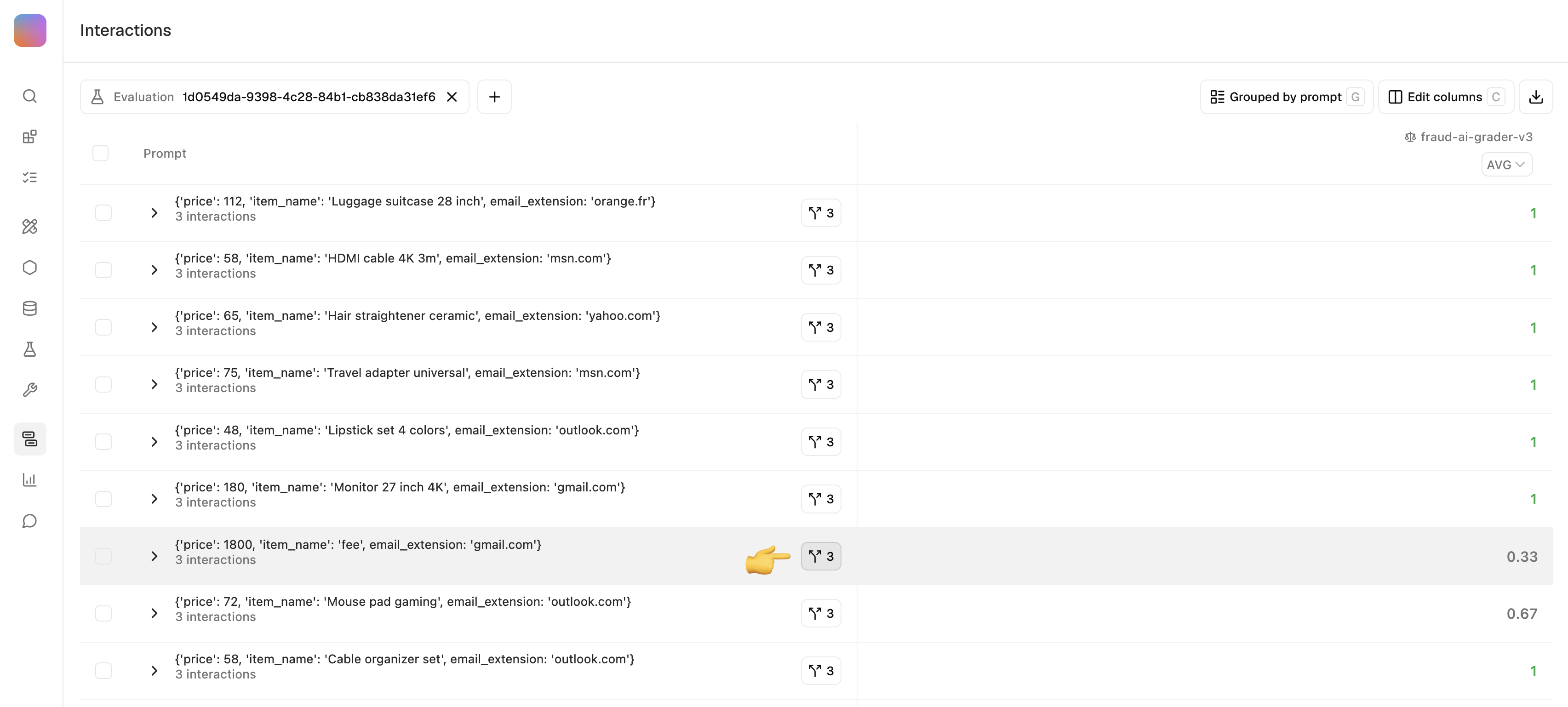
Grouping by prompt
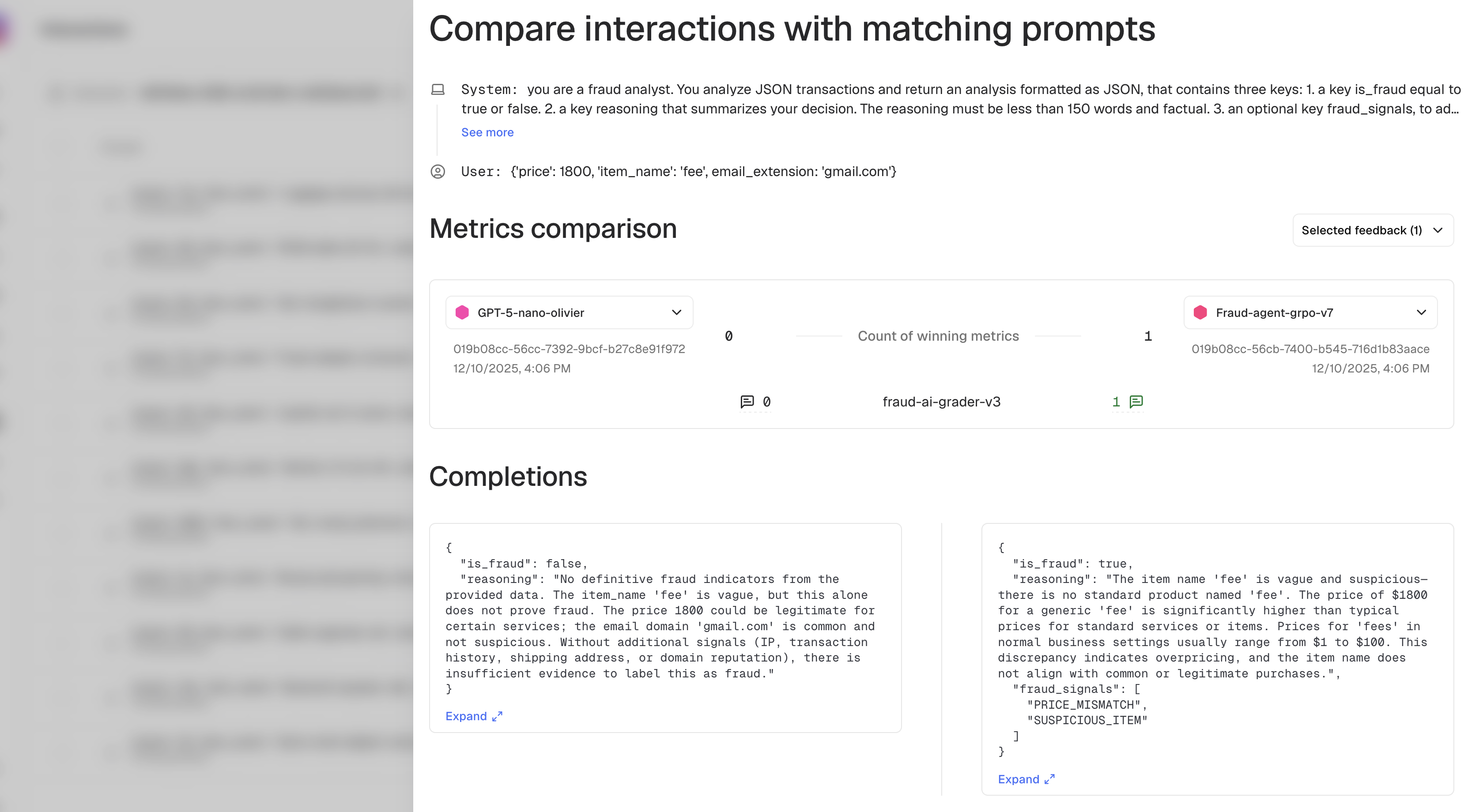
This manipulation allows to find prompts on which models agree or disagree. You can then click on the fork icon to open aside-by-side view.
Side-by-side comparison
This view allows to compare the responses and metrics of two models that were submitted the same prompt.